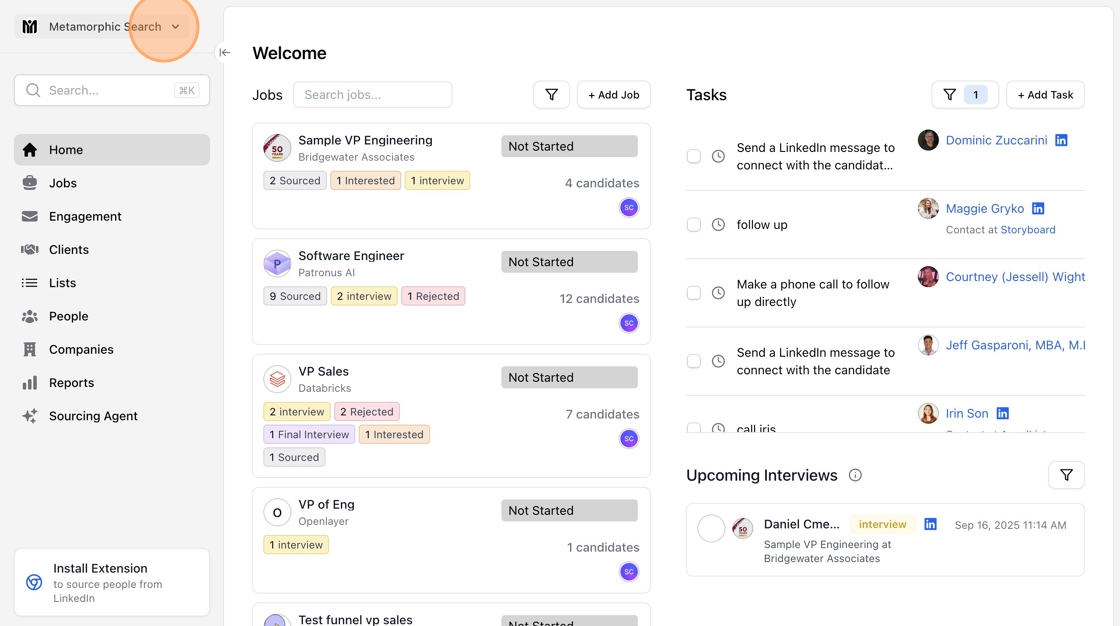
You can manage team members through your organization settings.
Start by clicking on your organization name on the top left of the sidebar
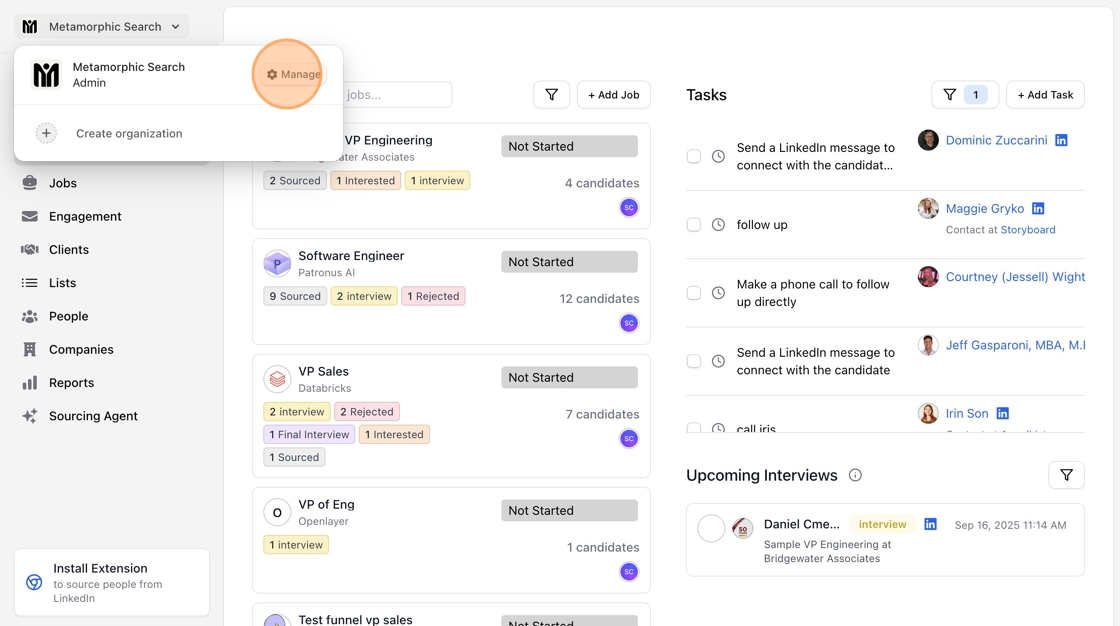
Next, click "Manage"
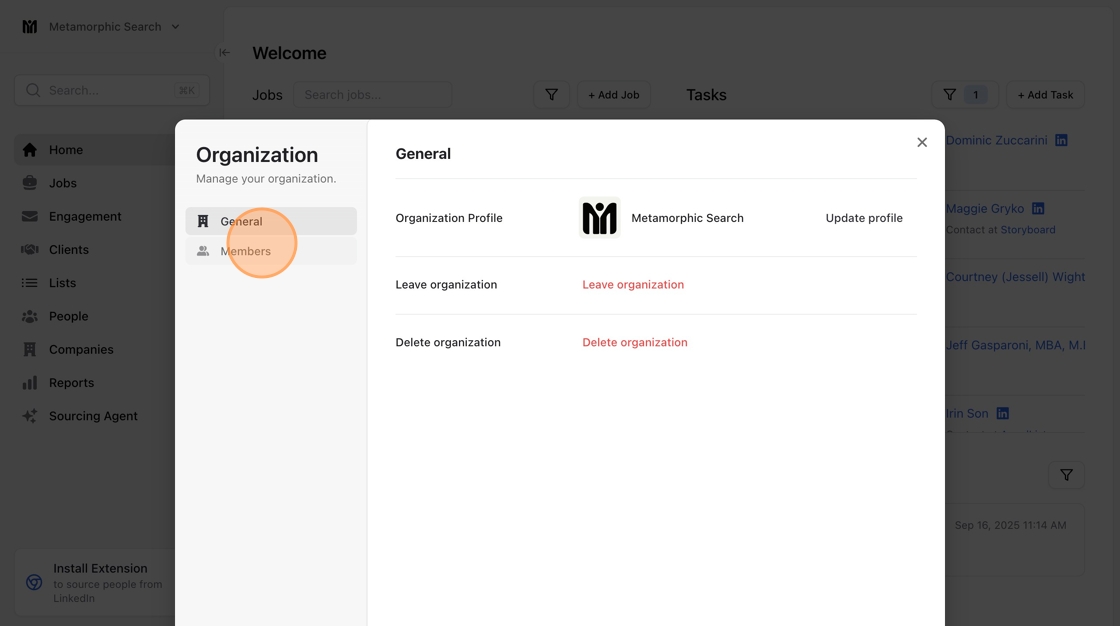
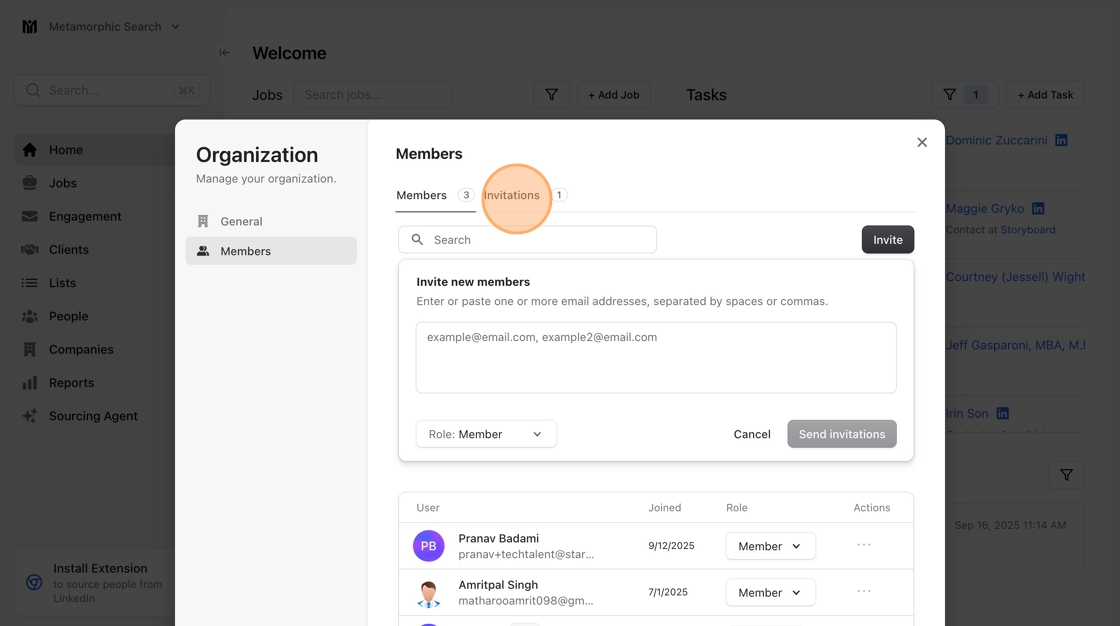
In the popup window, go to the Members tab:
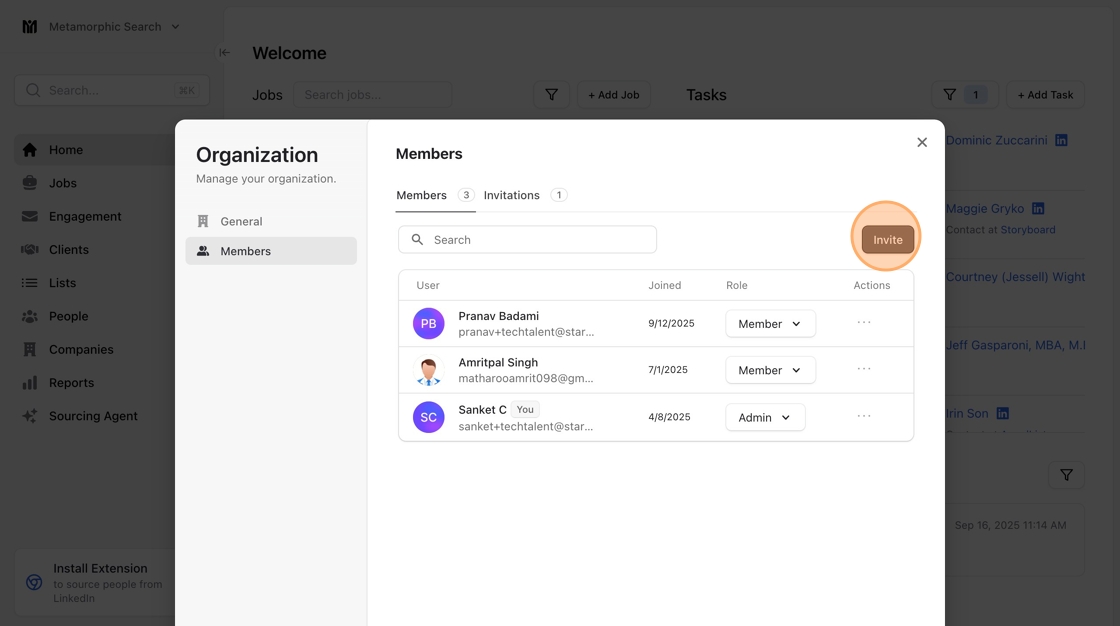
To add team members, use the “Invite” button.
You will then be prompted to enter in the members’ email addresses.

You can track existing invites by Clicking the invitations tab.
To remove team members, click on the ellipses […] on their row and select “Remove member.”
Note: Removing team members does not remove any candidates or notes they’ve created or engaged with in the system.
